
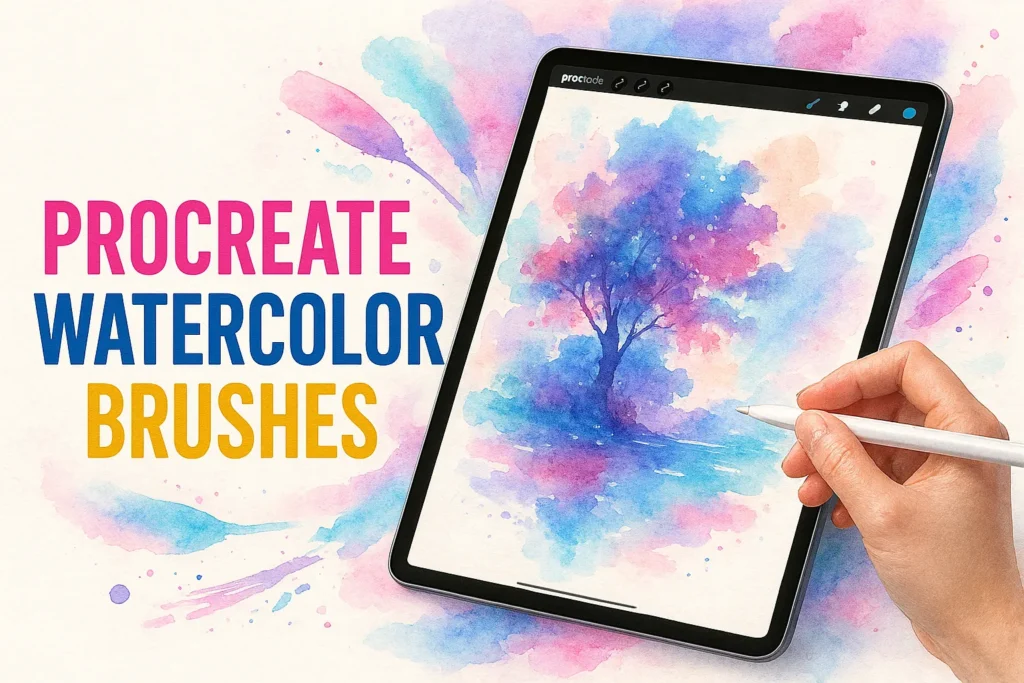
You know that feeling when you open Procreate, ready to create something beautiful, but the default brushes just aren’t giving you the dreamy, soft watercolor look you’re imagining? You’re not alone.
Finding the right Procreate watercolor brushes can feel overwhelming—especially when premium packs cost $20, $30, or even $50. But here’s the good news: you don’t need to spend a fortune to create stunning watercolor art on your iPad.
Today, I’m sharing 100+ free Procreate watercolor brushes organized into 5 carefully curated sets. Whether you’re painting botanical illustrations, ethereal portraits, or abstract landscapes, these brushes will unlock that authentic watercolor magic you’ve been searching for.
Ready to transform your digital art? Let’s dive in.
Table of Contents
Why Watercolor Brushes Are Essential for Digital Artists
Watercolor effects bring something special to digital art that crisp vector lines and solid colors simply can’t match. There’s an organic, flowing quality to watercolor that feels emotional and alive—perfect for illustrations that need to connect with viewers on a deeper level.
If you’ve been creating art in Procreate, you already know how powerful the app’s brush engine is. The combination of pressure sensitivity with your Apple Pencil and Procreate’s sophisticated blending modes creates watercolor effects that rival traditional media. You get all the beauty of watercolor painting without the mess, the drying time, or the fear of ruining your work with one wrong stroke.
Here’s why digital watercolor brushes deserve a permanent spot in your toolkit:
- Versatility across styles: From delicate wedding invitations to bold editorial illustrations
- Buildable transparency: Layer washes to create depth and luminosity
- Texture authenticity: Quality brushes simulate real paper grain and pigment flow
- Infinite experimentation: Undo buttons mean fearless creativity
Whether you’re a beginner just discovering Procreate or a seasoned illustrator expanding your brush library, watercolor brushes open up creative possibilities that feel both timeless and fresh.
What Makes a Great Procreate Watercolor Brush?
Not all watercolor brushes are created equal. Before you download every free brush set you find online, let’s talk about what actually makes a watercolor brush worth using.
Texture and grain are non-negotiable. A great watercolor brush should have authentic paper texture baked into its design. When you lay down a stroke, you should see subtle variations—not a flat, digital-looking smear.
Opacity control is equally important. Real watercolors are transparent and buildable. Your digital brushes should respond to pressure, allowing you to create light washes or intense, saturated colors depending on how hard you press with your Apple Pencil.
The best watercolor brushes also offer natural blending. When you layer colors, they should interact like real pigments—bleeding into each other at the edges, creating those happy accidents that make watercolor so magical.
And finally, customization options matter. Even free brushes should give you room to adjust settings in Procreate’s Brush Studio. Being able to tweak grain, flow, and wetness means you can adapt each brush to your unique artistic style.
Our Top 5 Free Procreate Watercolor Brush Sets (100+ Brushes)
I’ve spent weeks testing free watercolor brushes from across the internet, and I’m excited to share the absolute best with you. Each of these 5 sets brings something unique to the table, and together, they give you over 100 brushes for creating professional-quality watercolor art.
All sets are completely free and ready for immediate download from our site. Let’s break down what each one offers.
Brush Set 1: Free Watercolor Toolkit Brushes for Procreate
This collection is your foundation for creating those gorgeous, transparent watercolor backgrounds. You’ll find brushes that mimic wet-on-wet techniques, perfect for painting dreamy skies, ocean scenes, or abstract color fields.
Best for: Backgrounds, gradients, and atmospheric effects
Standout features: Ultra-soft edges and natural color bleeding
Skill level: Beginner-friendly
Download Free Watercolor Toolkit Brushes for Procreate →
Brush Set 2: Watercolor Lettering & Painting for Procreate 88 Brushes
If you love that authentic watercolor paper texture, this set delivers. These brushes carry beautiful grain patterns that make your digital art feel tangible and real.
Best for: Adding dimension and traditional media feel
Standout features: Varied paper textures and dry brush effects
Skill level: All levels
Download Watercolor Lettering & Painting for Procreate →
Brush Set 3: Powerful Watercolor Kit for Procreate 48 Brushes
Calling all plant lovers! This set includes specialized brushes for painting leaves, petals, and organic shapes. The brush dynamics respond beautifully to stylus pressure, giving you control over every petal and stem.
Best for: Floral illustrations, botanical art, nature scenes
Standout features: Petal-specific shapes and foliage textures
Skill level: Intermediate
Download Powerful Watercolor Kit for Procreate →
Brush Set 4: Watercolor Brushes for Procreate 90 Brushes
Sometimes your watercolor art needs those finishing touches—paint splatters, fine details, or textured accents. This set covers all your detailing needs without overwhelming you with options.
Best for: Final touches, mixed media looks, creative accidents
Standout features: Realistic splatter patterns and fine line brushes
Skill level: All levels
Download Watercolor Brushes for Procreate →
Brush Set 5: Watercolor Procreate Brushes Studio – 22 Brushes
Consider this your all-in-one watercolor toolkit. This set combines versatile brushes for every stage of your painting process, from initial washes to finishing details.
Best for: Artists who want everything in one download
Standout features: Balanced variety and professional-grade quality
Skill level: All levels
Download Watercolor Procreate Brushes Studio →
How to Download and Install Free Procreate Watercolor Brushes
Installing brushes in Procreate is surprisingly simple—you’ll be painting in less than a minute. Here’s exactly what to do:
- Tap any download link above to save the .brushset file to your iPad
- Open your Files app and locate the downloaded file (usually in Downloads folder)
- Tap the .brushset file once—Procreate will automatically launch
- Find your new brushes in the Brush Library under the set name
- Start creating! Open a new canvas and test your brushes
Quick troubleshooting: If brushes aren’t appearing, make sure you’re running the latest version of Procreate. The app needs to be version 5.0 or higher to support modern brush packs. You can check your version in Settings > About Procreate.
Choosing the Right iPad for Procreate Watercolor Brushes
Here’s something many beginners don’t realize: your iPad choice directly impacts how well these watercolor brushes perform. Complex brushes with rich textures require processing power, and if your iPad struggles, you’ll experience lag or limited layer counts.
Let me break down your options based on budget:
Budget-Friendly: iPad (10th Generation) – $349-$449
If you’re just starting your digital art journey, the base iPad is perfectly capable. You’ll work with Apple Pencil (1st generation) and have enough power for most watercolor projects. Just be mindful of layer limits—keep your files under 30 layers for smooth performance.
Best for: Students, hobbyists, and artists testing the digital waters
Mid-Range: iPad Air (5th/6th Gen) – $599-$749
This is the sweet spot for serious artists. The M1 or M2 chip handles complex watercolor brushes effortlessly, and you’ll get Apple Pencil (2nd generation) support. You can work with 60-100 layers without any slowdown.
Best for: Professional hobbyists and part-time freelancers
Premium: iPad Pro 11″ or 12.9″/13″ – $799-$1,499+
If you’re a professional illustrator or full-time artist, the iPad Pro is worth the investment. ProMotion display technology gives you buttery-smooth brush strokes, and you can layer to your heart’s content—we’re talking 100+ layers on complex files.
Best for: Professional artists who depend on Procreate for client work
My recommendation? If you’re serious about digital art but watching your budget, save up for the iPad Air. The performance jump from the base iPad is significant, and you won’t outgrow it anytime soon.
For more detailed iPad comparisons and technical specs, check out Apple’s official iPad comparison page.
Tips for Using Watercolor Brushes in Procreate
Having great brushes is one thing—knowing how to use them is another. Here are my favorite techniques for getting the most out of your new watercolor brushes:
Start with light layers. Real watercolor is all about transparency. Begin with low opacity (around 20-30%) and gradually build up color intensity. This gives you that authentic watercolor luminosity.
Experiment with blend modes. Try setting your watercolor layers to Multiply or Overlay. These modes mimic how real watercolor pigments interact when layered.
Use separate layers for different elements. Paint your background wash on one layer, main subjects on another, and details on a third. This gives you flexibility to adjust individual elements without starting over.
Create custom color palettes. Watercolor art often uses limited, harmonious color schemes. Build palettes inspired by nature, vintage postcards, or your favorite traditional watercolor artists.
Want to dive deeper into Procreate techniques? The official Procreate Handbook is an incredible (and free) resource for mastering the app.
Frequently Asked Questions
Are these Procreate watercolor brushes really free?
Yes! All 5 brush sets are completely free to download and use for both personal and commercial projects. No hidden costs, no email required.
How do I install free Procreate brushes on my iPad?
Simply download the .brushset file, tap it in your Files app, and Procreate will automatically import the brushes. See our step-by-step guide above for details.
Do free Procreate watercolor brushes work as well as paid ones?
Absolutely. While premium packs may offer more variety or advanced features, these free sets provide professional-quality textures that rival many paid options. The key is finding well-designed brushes—which is exactly what we’ve curated here.
Can I use these brushes for commercial projects?
Yes! Create client work, sell prints, design products—these brushes are yours to use however you like.
Will these brushes slow down my iPad?
These brushes are optimized for performance. If you have an older iPad, just be mindful of your layer count and merge layers periodically to maintain smooth performance.
Start Creating Beautiful Watercolor Art Today
You now have everything you need to create stunning watercolor art in Procreate: 100+ professional-quality brushes, installation know-how, and practical techniques to get started.
The beautiful thing about digital watercolor? There’s no wrong way to explore. Unlike traditional watercolor where one mistake can ruin hours of work, Procreate gives you the freedom to experiment fearlessly. Try wild color combinations. Test every brush. Make happy accidents and see where they lead you.
Ready to start painting? Download all 5 free brush sets now and transform your iPad into a complete watercolor studio. And if you create something you’re proud of, I’d love to see it—tag your work on Instagram so our community of digital artists can celebrate your creativity.
Your next masterpiece is just a brushstroke away. Happy painting!
Download All 5 Free Brush Sets Now →