
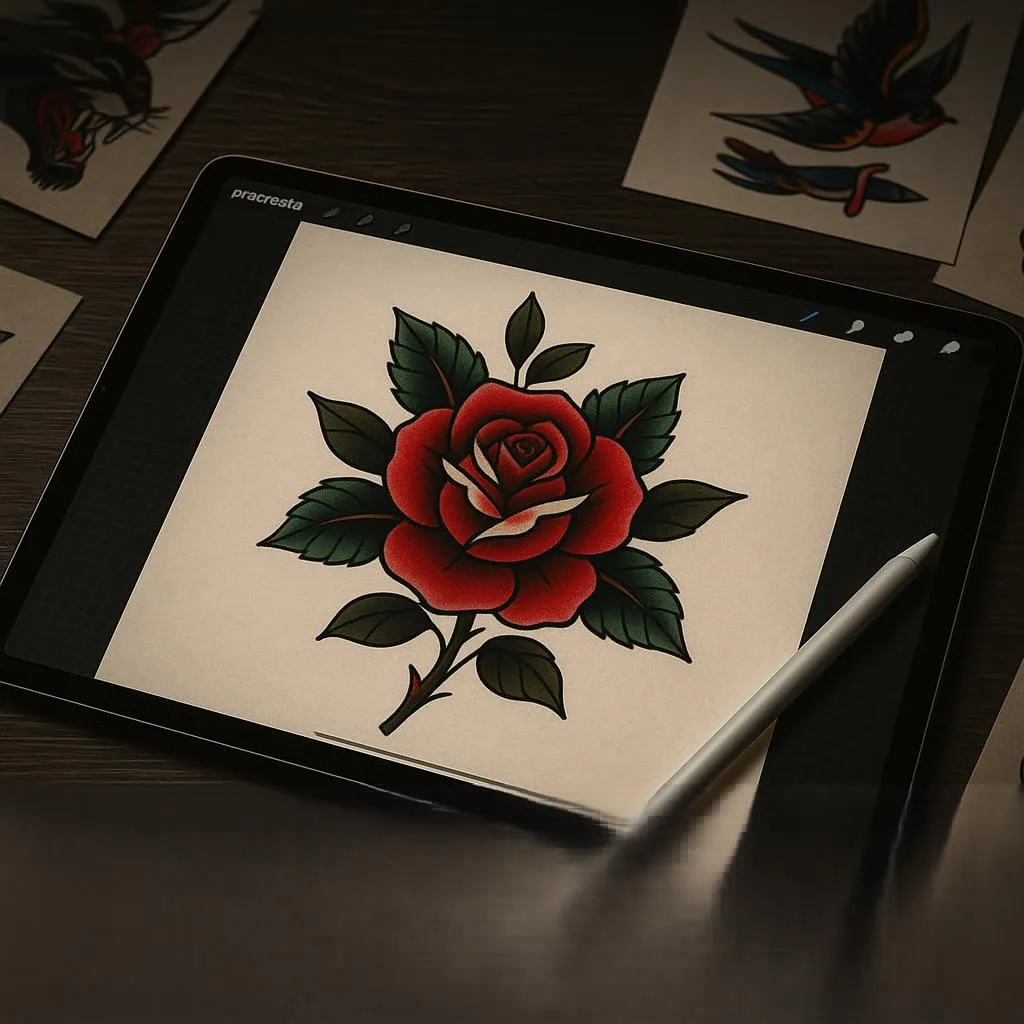
Staring at a blank Procreate canvas, you envision the perfect tattoo design—bold lines, smooth shading, that authentic ink texture that makes clients say “yes.” But your default brushes just aren’t cutting it.
You’re not alone. Every digital tattoo artist hits this wall. The good news? You don’t need to spend hundreds on premium brush packs to create professional-quality tattoo designs. I’ve personally tested dozens of free Procreate tattoo brushes and curated three exceptional packs that rival paid alternatives—and they’re yours to download right now.
Whether you’re designing flash sheets, creating client mockups, or building your portfolio, these brushes will transform your workflow. Let’s dive into what makes them special and how to choose the right iPad to pair with them.
Table of Contents
Why Every Digital Tattoo Artist Needs Specialized Procreate Brushes
Here’s the truth: generic Procreate brushes weren’t designed with tattoo artists in mind. You need tools that mimic real tattoo machines—pressure-sensitive lines that taper naturally, ink textures that look authentic on skin, and shading capabilities that create depth without muddiness.
Professional tattoo artists have shifted to digital workflows for good reason. You get unlimited revisions, instant color testing, and the ability to share designs with clients before they commit to permanent ink. But this only works if your digital tools match the quality of traditional pen-and-ink techniques.
What makes tattoo brushes different?
- Pressure sensitivity that mimics real tattoo machine behavior
- Ink texture authenticity with realistic saturation and subtle bleeding effects
- Line weight control essential for traditional, neo-traditional, and fine-line styles
- Smooth shading gradients for black-and-grey realism without banding
The three free brush packs I’m sharing below give you all of this—no credit card required.
Top 3 Free Procreate Tattoo Brush Packs (Exclusive Downloads)
I’ve personally tested these brushes on everything from delicate fine-line designs to bold traditional pieces. Each pack serves a specific purpose, so you’ll want to download all three to cover your creative bases.
Brush Pack #1 – Traditional Tattoo Essentials
This pack is your foundation. It includes 15 brushes specifically designed for American traditional, neo-traditional, and Japanese-style tattoos.
What’s inside:
- Bold liner brushes (perfect for clean outlines)
- Traditional fill tool (smooth, even coverage)
- Dotwork stipple brush (for texture and shading)
- Classic shader (builds depth without losing boldness)
Best for: Flash sheet creation, graphic tattoo designs, and artists transitioning from traditional tattooing to digital work.
The bold liner alone will change how you approach outlines. It maintains consistent weight even when you vary pressure—crucial for those iconic traditional tattoo aesthetics.
[Download Traditional Tattoo Essentials Pack – Free]
Brush Pack #2 – Fine Line & Geometric Precision
If you’re into minimalist tattoos, mandala designs, or geometric patterns, this pack is your new best friend. It includes 12 precision-focused brushes with built-in stabilization.
What’s inside:
- Ultra-fine liners (for delicate, single-needle aesthetics)
- Geometric stamp tools (perfect circles and symmetry)
- Clean fill brush (minimal texture for modern looks)
- Mandala assist tools (radial symmetry made easy)
Best for: Minimalist tattoo designs, detailed ornamental work, and anything requiring crisp, clean lines.
The stabilization settings on these brushes eliminate hand shake, giving you confidence when working at high zoom levels. Your fine-line work will look like it came from a seasoned professional—even if you’re just starting out.
[Download Fine Line & Geometric Pack – Free]
Brush Pack #3 – Realism & Black-Grey Mastery
This is the pack for portrait work, realistic animal designs, and photorealistic black-and-grey pieces. It includes 18 brushes focused on smooth blending and texture creation.
What’s inside:
- Soft shader brushes (multiple opacity levels)
- Skin texture overlays (for realistic portrait backgrounds)
- Smoke and cloud effect brushes (atmospheric elements)
- Portrait liner (precision for facial features)
Best for: Portrait tattoo designs, realistic wildlife artwork, and black-and-grey commissioned pieces that demand professional quality.
The soft shader is genuinely incredible—it builds up gradually, giving you complete control over value transitions. Your portraits will have that dimensional quality that separates amateur work from professional designs.
[Download Realism & Black-Grey Pack – Free]
How to Choose the Right iPad for Procreate Tattoo Design
The best brushes in the world won’t help if your iPad can’t handle complex designs. Here’s how to choose based on your budget and artistic goals.
Budget-Friendly: iPad (10th Generation) – $349-$449
Pros:
- Affordable entry point for beginners
- Compatible with Apple Pencil (1st gen)
- Handles basic tattoo sketching smoothly
Cons:
- Limited layers for complex, detailed designs
- Smaller 10.9″ screen
- No laminated display (slight gap between glass and screen)
Best for: Hobbyists testing if digital tattooing is right for them, students, or artists on tight budgets.
Sweet Spot: iPad Air (5th/6th Gen) – $599-$749
Pros:
- M1/M2 chip handles complex brush strokes without lag
- Apple Pencil 2 support (magnetic charging, double-tap to switch tools)
- Laminated display for better drawing experience
- Excellent color accuracy for client presentations
Cons:
- Not quite as powerful as Pro models for extremely detailed work
Best for: Serious hobbyists, emerging tattoo artists, and anyone doing regular client work.
This is my top recommendation for most artists. You get professional performance without the Pro price tag.
Professional Grade: iPad Pro 11″ or 13″ – $799-$2,099
Pros:
- M4 chip = unlimited layers, zero lag
- ProMotion 120Hz display (buttery smooth drawing)
- Liquid Retina XDR display (exceptional blacks for tattoo work)
- Maximum performance for large-scale flash sheets
Cons:
- Significant investment
- 13″ model less portable for client meetings
Best for: Established tattoo artists, studio-based designers, and professionals creating highly detailed portfolio pieces.
If you’re making money from your tattoo designs, the iPad Pro pays for itself in productivity and client satisfaction.
Pro tip: Pair any iPad with a Paperlike screen protector. It adds texture that mimics paper, giving you better control during long design sessions.
Step-by-Step: Installing Your Free Procreate Tattoo Brushes
Installing brushes is incredibly simple—even if you’ve never done it before:
- Download the .brushset file from the links above (use Safari for best results)
- Tap the file in your Downloads folder
- Procreate automatically opens and imports the brushes
- Find your new brushes in the Brush Library under their pack names
Troubleshooting: If brushes don’t import, make sure you’re running Procreate 5 or later. Update the app if needed, then try downloading again.
Pro Tips for Digital Tattoo Artists
Optimize Your Workflow
- Canvas size: Always work at 3000x3000px minimum at 300 DPI for stencil-quality prints
- Layer organization: Name your layers (Sketch, Lines, Shading, Details) so revisions don’t become nightmares
- Custom color palettes: Create tattoo ink color sets—save black shades, skin tones, and your go-to accent colors
- QuickMenu customization: Set up frequent actions (Undo, Layer menu, Smudge tool) for one-tap access
Client Presentation Matters
Export your designs as high-resolution PNGs for clarity. If you’re showing multiple variations, create a timelapse using Procreate’s built-in recording feature—clients love seeing the creative process.
Consider using mockup apps to place your designs on skin photos. This helps clients visualize placement and scale before committing to the tattoo.
Common Mistakes to Avoid
Using the wrong canvas size: Designs that look perfect on-screen turn pixelated when printed. Always work at 300 DPI or higher.
Overusing stabilization: StreamLine is helpful, but setting it too high (above 50%) makes your lines look robotic. Keep it between 20-35% for tattoo work.
Ignoring pressure sensitivity: Practice tapering your strokes. Test each brush on a scrap canvas before starting your actual design—get a feel for how it responds to your hand pressure.
Poor layer management: Create separate layers for sketching, outlining, shading, and details. This saves hours during revision rounds.
FAQ: Free Procreate Tattoo Brushes
How do I install free Procreate tattoo brushes?
Download the .brushset file, tap it in your Downloads folder, and Procreate automatically imports them. You’ll find them organized by pack name in your Brush Library.
Are these brushes compatible with all iPads?
Yes, they work with any iPad running Procreate 5 or later. Performance varies by model—iPad Pro handles complex designs smoothly, while budget iPads work well for simpler pieces.
Can I use free brushes for commercial tattoo work?
Absolutely. The three packs on this site are free for personal and commercial use. Create client tattoos, sell flash sheets, and build your portfolio without restrictions.
Do I need an Apple Pencil?
While you can use Procreate with your finger, the Apple Pencil unlocks pressure sensitivity and tilt features—essential for realistic tattoo line work. The 1st generation Apple Pencil works great and costs less.
What’s the best iPad for Procreate tattoo design?
iPad Air (M1/M2) offers the best value for most artists. Beginners can start with iPad 10th gen, while professionals benefit from iPad Pro’s power and larger screen options.
Start Creating Your Best Tattoo Designs Today
You now have access to three professional-grade, free Procreate tattoo brush packs that rival anything you’d pay for. Whether you’re sketching your first flash sheet or refining complex client designs, these brushes give you the tools to create authentic, stunning tattoo art.
Download all three packs, experiment with different styles, and discover which techniques resonate with your artistic vision. Pair them with the right iPad for your budget, and you’ll have a complete digital tattoo studio in your hands.
Your next masterpiece is just a download away.
Ready to level up your tattoo art? Download your free brush packs now and join thousands of artists creating incredible designs with Procreate.
Want more free resources? Subscribe to our email list for exclusive brush releases, Procreate tutorials, and digital art tips delivered to your inbox every week.
Recommended Resources:
- Procreate Official Handbook – Master every feature with Procreate’s comprehensive guide
- Apple iPad Buyer’s Guide – Compare iPad models to find your perfect creative companion