
You know that frustrating moment when you’re ready to sketch something amazing, but your brushes just aren’t cooperating? The lines feel stiff. The shading looks flat. You spend more time tweaking settings than actually creating art.
I’ve been there, and I know how discouraging it can be.
The truth is, having the right Procreate pencil brush free collection can completely transform your digital art experience. Whether you’re sketching character designs at 2 AM or working on a client commission with a tight deadline, quality pencil brushes make all the difference between fighting your tools and finding your creative flow.
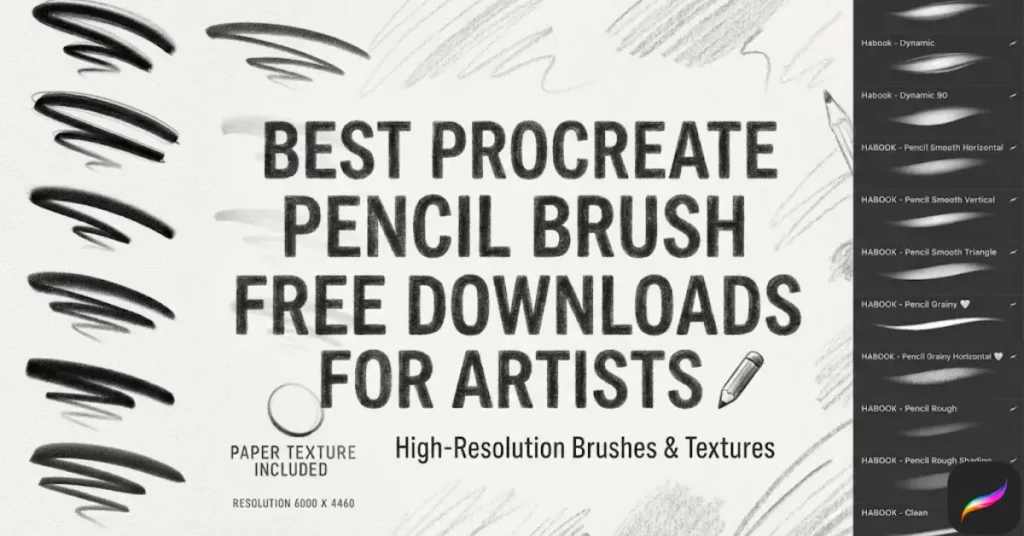
Today, I’m sharing an incredible 11-brush pencil collection that’ll give you everything from soft sketching tools to bold, dramatic graphite effects—all completely free. Let’s explore what makes these brushes special and how you can start using them right now.
Table of Contents
Why Quality Pencil Brushes Matter for Digital Artists
Before we dive into the download, let’s talk about what separates an amazing Procreate pencil brush from a mediocre one.
Pressure Sensitivity That Feels Natural
Your Apple Pencil should respond like a real pencil—light touches create delicate lines, while firm pressure delivers bold, confident strokes. The best free Procreate brushes capture this nuance perfectly, giving you the control you need for everything from preliminary sketches to finished illustrations.
Authentic Texture and Grain
Digital art shouldn’t feel sterile. Quality pencil brushes simulate the subtle tooth of paper and the grainy texture of graphite. When you’re shading a portrait or sketching a landscape, that realistic texture makes your work feel alive and professional.
Versatility Across Different Art Styles
Whether you’re into realistic portrait drawing, comic book illustration, or architectural sketching, your pencil brushes should adapt to your style. The right collection gives you options—soft brushes for gentle shading, hard pencils for precise line work, and everything in between.
Introducing: Your Free 11-Brush Procreate Pencil Collection
I’m excited to share this comprehensive brush set that covers every pencil technique you’ll need. You can download all 11 brushes here and start creating immediately.
Here’s what’s inside this free bundle:
- HB Sketch Pencil – Your go-to for initial sketches and rough layouts
- 2B Soft Graphite – Perfect for smooth shading and gentle gradients
- 6B Dark Pencil – Rich, deep blacks for dramatic contrast
- Mechanical Pencil – Crisp, precise lines for technical drawings
- Charcoal Pencil – Expressive, textured strokes with character
- Blending Pencil – Creates seamless transitions between tones
- Crosshatch Pencil – Instant texture and dimension
- Fine Detail Pencil – For intricate work and small elements
- Sketch Liner – Consistent line weight for clean drawings
- Textured Pencil – Authentic paper grain simulation
- Smudge Pencil – Natural blending and softening effects
Each brush has been tested across different iPad models and Procreate versions to ensure smooth performance and realistic results.
How to Install Your Free Procreate Brushes (Step-by-Step)
Installing Procreate brushes is incredibly simple. Here’s how to get your new pencil collection working in under a minute:
- Download the brush file from the link above (it’ll be in .brushset format)
- Open your Files app and locate the downloaded file
- Tap the .brushset file and it will automatically open in Procreate
- Find your new brushes in the Brush Library—they’ll appear as a new set
- Start creating! Test each brush to see which ones become your favorites
Pro tip: Create a custom brush set with your most-used pencils for quick access during projects. You can do this by pressing and holding a brush, then selecting “Duplicate” to add it to a personal collection.
Choosing the Right Brush for Your Art Style
Not sure which brush to use for your current project? Here’s a quick guide to help you match brushes with techniques:
For Portrait and Figure Drawing
Start with the 2B Soft Graphite for blocking in basic shapes and gentle shading. Switch to the 6B Dark Pencil for defining shadows and creating depth around eyes, nose, and mouth. Use the Fine Detail Pencil for capturing intricate features like eyelashes or hair strands.
For Landscape Sketching
The HB Sketch Pencil is perfect for loose, energetic landscape compositions. Add texture to trees and foliage with the Textured Pencil, and create atmospheric depth using the Blending Pencil to soften distant elements.
For Comic Art and Character Design
Dynamic sketching calls for the Sketch Liner to establish clean character outlines. The Crosshatch Pencil speeds up shading in panels, while the Charcoal Pencil adds dramatic shadows and mood to your illustrations.
According to Creative Bloq’s digital art tutorials, mastering different pencil techniques is essential for developing your unique artistic voice in digital media.
Pro Tips for Getting Professional Results
Now that you have your brushes installed, here are some techniques that’ll take your work to the next level:
Adjust Pressure Curves for Your Drawing Style
Everyone holds their Apple Pencil differently. If your lines feel too light or too heavy, tap your brush, go to the “Pressure” settings, and adjust the curve until it feels natural. This small tweak makes a huge difference.
Layer Your Pencil Strokes for Depth
Don’t try to achieve perfect shading in one pass. Build up your values gradually using multiple layers with different pencil brushes. Start light with the 2B, add mid-tones with the HB, and finish with the 6B for your darkest shadows.
Combine Brushes for Unique Effects
Experiment with using the Textured Pencil for your base layer, then refine details with the Mechanical Pencil. This combination creates interesting depth that single-brush approaches can’t match.
The Procreate official handbook offers excellent guidance on brush customization and advanced techniques if you want to dive deeper.
Why Free Brushes Can Be Just as Good as Premium
You might wonder if free Procreate brushes can really compete with expensive premium packs. Here’s the honest truth: for most artists, quality free brushes are more than enough.
Premium brush packs often include hundreds of variations you’ll never use. This curated collection of 11 pencil brushes covers every essential technique without overwhelming you with options. Plus, you’re not locked into a purchase before discovering what works for your style.
That said, as your skills develop, you might want specialized brushes for specific techniques. But start here, master these tools, and then decide if you need more.
Frequently Asked Questions
How do I install Procreate pencil brush free downloads?
Simply download the .brushset file, tap it in your Files app, and Procreate will automatically import it. You’ll find your new brushes in the Brush Library.
Are these brushes compatible with all iPad models?
Yes, these pencil brushes work on any iPad that supports Procreate, including iPad Pro, iPad Air, and standard iPad with Apple Pencil compatibility.
Can I use free Procreate brushes for commercial work?
Absolutely! These brushes include commercial licensing, meaning you can use them for client projects, commissions, and selling your artwork.
What if the brushes don’t feel right for my drawing style?
Every brush in Procreate can be customized. Duplicate the original brush and adjust the pressure curve, grain scale, or opacity settings until it feels perfect for you.
How many brushes should I actually use?
Focus on mastering 3-5 brushes initially. Most professional artists have favorite tools they use for 90% of their work. Quality over quantity always wins.
Ready to Elevate Your Digital Sketching?
You now have everything you need to create stunning pencil artwork in Procreate. This free 11-brush collection gives you professional-quality tools without spending a dime.
👉 Download your free Procreate pencil brushes now and start creating today!
Don’t forget to experiment with each brush—you’ll be surprised how different they feel and which ones become your favorites. And if you create something amazing with these brushes, I’d love to see it! Tag your work on social media so other artists can discover these tools too.
Happy sketching, and remember: the best brush is the one that disappears while you’re creating, letting your artistic vision flow naturally onto the canvas.
