
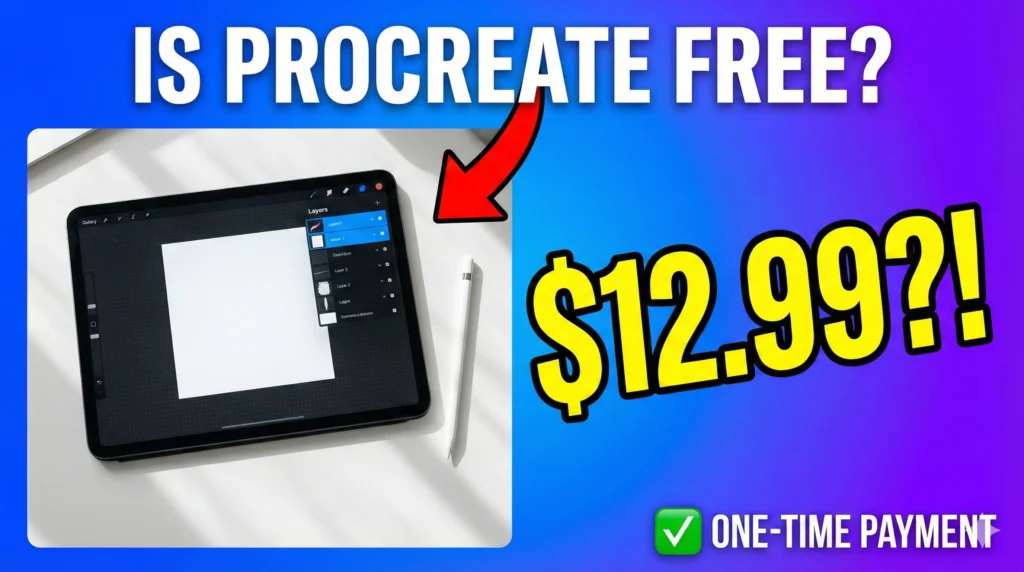
You’ve scrolled through Instagram, mesmerized by those dreamy watercolor portraits and vibrant character illustrations. You’ve watched YouTube artists effortlessly create masterpieces on their iPads. Now you’re ready to dive into digital art yourself, but there’s one question stopping you in your tracks: is Procreate free?
I get it. As an artist, every dollar counts. Whether you’re a student sketching in your dorm room or a hobbyist exploring your creative side, you want to make smart investments in your art tools. The good news? I’m about to give you the complete breakdown of Procreate’s pricing, what you actually get for your money, and whether it’s worth it for your artistic journey.
Let’s settle this once and for all.
Table of Contents
Is Procreate Free? Here’s the Straight Answer
No, Procreate is not free. It’s a paid app available exclusively on the Apple App Store for $12.99 USD. But before you close this tab, hear me out—this is a one-time purchase, not a subscription.
That means you pay once and own Procreate forever. No monthly fees. No surprise charges. No “premium tier” to unlock later. Just one payment of less than the cost of a movie ticket and popcorn, and you’ve got a professional-grade digital art studio in your hands.
What About Procreate Pocket?
If you’re an iPhone user, there’s also Procreate Pocket for $5.99. It’s the mobile version with a slightly streamlined feature set, perfect for sketching ideas on the go. The core brushes and tools are there, but the canvas sizes are smaller due to phone screen limitations.
Most serious digital artists invest in the full iPad version, but Pocket is a great way to test the waters if you’re not ready to commit to an iPad yet.
Are There Free Alternatives to Procreate?
Let’s be real—if you’re on a tight budget, there are free drawing apps available:
- Adobe Fresco (free tier with limited features)
- MediBang Paint (free with ads)
- ibisPaint X (free with watermarks)
- Autodesk SketchBook (completely free)
These apps work fine for basic sketching, but they come with trade-offs: intrusive ads, watermarks on your art, limited brush options, or clunky interfaces. If you’re serious about digital art, you’ll quickly feel their limitations. Procreate’s $12.99 investment eliminates all those frustrations and gives you room to grow as an artist.
What Do You Actually Get for $12.99?
Here’s where Procreate truly shines. For less than the cost of a single traditional art brush set, you’re getting:
Professional-Grade Features
- Over 200 customizable brushes right out of the box—from smooth inking pens to textured charcoal and watercolor effects
- Unlimited layers (well, limited only by your iPad’s RAM, but that’s typically 50+ layers on modern devices)
- Advanced blend modes for creating depth and atmosphere
- Time-lapse recording that automatically captures your entire creative process (perfect for social media content)
- Animation Assist for frame-by-frame animation projects
- Typography tools for adding text to your illustrations
- QuickShape that turns your wonky circles into perfect geometry
- Perspective guides for architectural drawings and complex scenes
Let me put this in perspective: Adobe Photoshop costs $54.99 per month. That’s $659.88 per year. Procreate gives you 80% of Photoshop’s illustration features for a one-time payment of $12.99. The math isn’t even close.
Free Updates for Life
Remember when I said one-time purchase? Savage Interactive (Procreate’s developer) has consistently released major updates for free since the app launched in 2011. Animation Assist? Free update. 3D painting tools? Free update. Typography features? Free update.
You’ll never pay for “Procreate 2” or be forced to upgrade. Your $12.99 covers you indefinitely.
Access to Thousands of Free Procreate Brushes
Here’s the secret that makes Procreate even more valuable: the global community of artists who create and share free Procreate brushes. Once you own the app, you can expand your creative toolkit with thousands of custom brushes:
- Watercolor brush packs that blend like real pigment
- Ink and texture brushes for manga and comic artists
- Foliage and nature brushes for concept art and backgrounds
- Lettering brushes for hand-drawn typography
You can find incredible free Procreate brushes here to instantly expand your creative possibilities. Installing them takes seconds literally—just tap the file, and it imports directly into your brush library.
Is Procreate Worth $12.99? Let’s Break Down the Value
As someone who’s spent years in the digital art space, I can confidently say Procreate is one of the smartest investments you’ll make as an artist. Here’s why:
Compare It to Traditional Art Supplies
Think about what $12.99 gets you in the traditional art world:
- One decent quality brush? Maybe two if they’re on sale
- A small pad of Bristol board? That’ll last you a few weeks
- A single tube of professional-grade paint? If you’re lucky
With Procreate, you get unlimited canvas space. You can create thousands of paintings without ever buying more supplies. No pencil sharpening, no paint mixing, no paper waste. Just pure creativity.
Procreate vs. Other Digital Art Software
Let’s look at how Procreate stacks up against the competition:
| Software | Price | Payment Model | Best For |
|---|---|---|---|
| Procreate | $12.99 | One-time | iPad artists, illustration |
| Adobe Photoshop | $54.99/month | Subscription | Professional photo editing |
| Clip Studio Paint | $4.49–$8.99/month | Subscription | Manga and comics |
| Affinity Designer | $21.99 | One-time | Vector graphics |
| Corel Painter | $19.99/month | Subscription | Traditional media simulation |
Procreate offers the best value for illustrators, hands down. No recurring fees eating away at your creative budget. According to Apple’s official App Store reviews, Procreate maintains a 4.8-star rating with over 150,000 reviews—proof that artists consistently love what they’re getting.
What Professional Artists Say
Don’t just take my word for it. Procreate is used by professional illustrators, concept artists, and designers worldwide. Artists like Simone Grünewald and WLOP have created stunning portfolio pieces entirely in Procreate. The app has been featured in book illustrations, advertising campaigns, and even animation projects for major studios.
The bottleneck in digital art is never the software—it’s your skill and creativity. Procreate gives you all the tools you need to grow from beginner doodles to portfolio-worthy illustrations.
Who Should Buy Procreate?
Procreate is perfect for you if:
- You’re a beginner wanting an intuitive entry into digital art
- You’re a hobbyist who creates for fun without wanting subscription commitments
- You’re a professional illustrator who values portability and a streamlined workflow
- You’re a social media content creator building an art brand (that built-in time-lapse is gold)
- You love experimenting with different brushes and styles
Consider alternatives if:
- You don’t own an iPad (Procreate is iOS-exclusive)
- You primarily work with photos rather than illustrations
- You need heavy-duty vector graphics tools
- You create complex manga with specialized panel tools
Getting Started: What You Need
Before you hit “purchase,” make sure you have:
Compatible Hardware
- iPad models: iPad Pro (any generation), iPad Air (3rd gen or later), or standard iPad (6th gen or later)
- Apple Pencil: Highly recommended for pressure sensitivity. Apple Pencil 2 offers the best experience, but the first-gen pencil works great too
- Storage: Procreate itself is small, but your artwork files can add up if you work with large canvases
Don’t have an Apple Pencil yet? Third-party styluses like the Logitech Crayon work as budget alternatives, though you’ll miss out on some pressure sensitivity features.
Maximizing Your Procreate Investment
Once you’ve bought Procreate, here’s how to get the most value:
Download Free Resources
Start building your creative toolkit immediately:
- Custom brush packs (check out my collection of free Procreate brushes perfect for beginners)
- Color palettes from sites like Coolors or Adobe Color
- Canvas templates for comics, storyboards, and social media posts
Join the Community
The Procreate community is incredibly welcoming and helpful:
- Reddit: r/ProCreate has tutorials, inspiration, and troubleshooting
- YouTube: Channels like Art with Flo and Genevieve’s Design Studio offer free comprehensive tutorials
- Instagram: Follow #procreate and #procreateapp for daily inspiration
Practice Fundamental Techniques
Focus on mastering these core skills:
- Layer management and organization
- Gesture shortcuts (two-finger tap to undo is a game-changer)
- Selection and transformation tools
- Color harmony and blending techniques
As noted by digital art educators at Skillshare, spending just 15 minutes daily practicing fundamentals will accelerate your growth exponentially.
The Bottom Line
So, is Procreate free? No—but at $12.99 for a lifetime of updates and professional features, it’s the closest thing to free that a professional art tool can be.
Think of it this way: that’s less than a single month of Spotify or Netflix. It’s one lunch out instead of meal prepping. It’s a tiny investment that opens up a world of creative possibilities.
Every professional digital artist I know considers Procreate one of their best purchases. The combination of affordability, powerful features, and an ever-growing library of free Procreate brushes makes it unbeatable for iPad artists.
Ready to start your digital art journey? Download Procreate from the App Store today, grab some free brushes to get started, and create your first masterpiece. Your blank canvas is waiting.
FAQ: Common Questions About Procreate
Is Procreate free on iPad?
No, Procreate costs $12.99 as a one-time purchase on the iPad App Store. This includes all features with no subscriptions or hidden fees.
Can I try Procreate for free before buying?
Unfortunately, there’s no free trial. However, Apple’s App Store offers a 14-day refund window if you’re unsatisfied. Given the low price point and overwhelmingly positive reviews, the risk is minimal.
How do I install free Procreate brushes?
Simply download a .brush or .brushset file, tap it on your iPad, and it automatically imports into Procreate. You’ll find them in your brush library immediately.
Does Procreate work without an internet connection?
Yes! Procreate is fully offline. Perfect for creating art while traveling, in coffee shops, or anywhere without WiFi.
Can I sell artwork I create in Procreate?
Absolutely. You have full commercial rights to any artwork you create. Many artists sell prints, accept client commissions, and even develop NFTs using Procreate.
Is Procreate good enough for professional work?
Yes. Professional illustrators worldwide use Procreate for book illustrations, concept art, advertising, and gallery-quality pieces. It exports in professional formats like PSD, PDF, and TIFF.
Want to stay updated on the best free Procreate brushes? Just visit our site freeprocreatebrushes.org for weekly brush drops and digital art tips. Your next creative breakthrough is just one download away.