
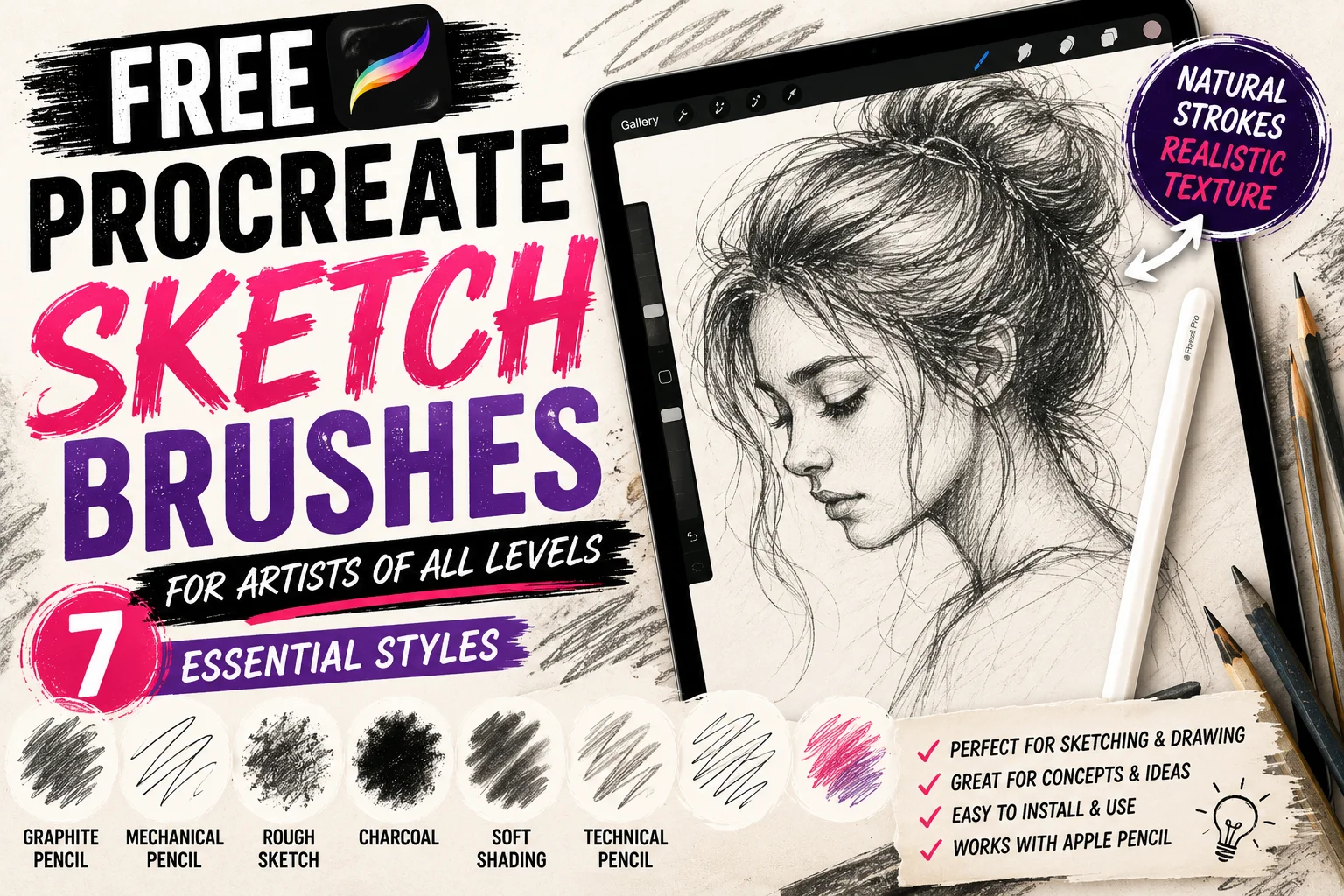
Finding the right free Procreate sketch brushes can make digital drawing feel much closer to working with a real pencil and sketchbook. Whether you enjoy quick character sketches, portrait studies, tattoo concepts, fashion illustration, anatomy practice, or detailed finished drawings, a good sketch brush can make the entire creative process more natural.
Procreate already includes several useful drawing and pencil tools, but one of its biggest advantages is the ability to import additional brushes and customize them for your own workflow. Instead of relying on a single digital pencil, you can build a small collection containing rough graphite, mechanical pencils, charcoal textures, soft shading tools, and clean sketch liners.
The important thing is not downloading hundreds of brushes. A carefully selected collection of five or ten sketch brushes can be far more useful than a huge library where every brush feels almost identical.
In this guide, we’ll explore the best types of free Procreate sketch brushes, how to choose them, how to install them, and how to organize your collection so you can spend more time drawing and less time searching through brush folders.
What Are Free Procreate Sketch Brushes?
Procreate sketch brushes are digital drawing tools designed to reproduce the appearance and behavior of traditional sketching materials.
Some brushes imitate graphite pencils. Others recreate mechanical pencils, crayons, charcoal, pastel, technical pencils, or rough textured drawing tools.
Procreate itself describes its sketching brushes as tools designed for practical drawing, planning, sketching, and quick studies, with brushes that can imitate materials including graphite pencils, technical pencils, pastels, and artist crayons.
That variety is useful because artists rarely use exactly the same pencil for every stage of a drawing.
You might use a loose textured brush when searching for the basic shape of a character, switch to a sharper pencil for facial details, and then use a softer brush for shadows.
Digital sketch brushes allow you to reproduce that workflow while keeping all of your artwork editable.
Why Use Free Procreate Sketch Brushes?
One of the biggest advantages of sketch brushes is speed.
During the early stages of an illustration, your goal usually isn’t to create perfect lines. You’re trying to explore proportions, composition, gestures, shapes, and ideas.
A textured sketch brush encourages you to work loosely rather than obsess over every stroke.
Sketch brushes are also useful because they can make digital artwork feel less artificial.
Perfectly smooth lines sometimes look too clean during the concept stage. Slight grain, irregular edges, and changes in opacity can create the feeling of real pencil touching paper.
Different sketch brushes can also help separate stages of your workflow.
For example, you could begin with a light pencil for construction lines, use a darker graphite brush for your refined sketch, and finish with an inking brush on another layer.
This approach keeps the creative process organized without losing the spontaneous feeling of traditional drawing.
7 Types of Free Procreate Sketch Brushes Worth Trying
There is no single perfect drawing brush. Different brushes solve different problems, which is why a small collection containing several styles is usually the best approach.
1. Graphite Pencil Brushes
Graphite-style brushes are probably the most useful free Procreate sketch brushes for everyday drawing.
They’re excellent for portraits, character design, anatomy studies, objects, environments, and rough illustration planning.
A good graphite brush should have some texture without becoming distracting. Light Apple Pencil pressure should create subtle marks, while heavier pressure should produce stronger strokes.
Try using a graphite pencil brush at a slightly larger size when blocking out your drawing. Once the overall proportions look correct, reduce the size for smaller details.
This keeps you focused on the big shapes before spending time on eyelashes, hair, clothing folds, or other small elements.
2. Mechanical Pencil Brushes
Mechanical pencil brushes usually produce cleaner and more consistent marks than rough graphite brushes.
They’re particularly useful for artists who prefer controlled drawing.
You can use them for manga-inspired art, architecture sketches, product concepts, clean character designs, tattoo concepts, and detailed illustrations.
The consistent edge can also make a mechanical pencil useful when refining an earlier sketch.
If your first layer contains loose construction lines, create a new layer and use a sharper mechanical pencil brush to establish the final drawing.
3. Rough Sketch Brushes
Sometimes you don’t want clean lines.
A rough sketch brush can be perfect for quickly recording an idea before worrying about details.
These brushes often have broken edges, grain, or noticeable texture. That makes them especially useful for gesture drawing, thumbnails, composition studies, and character poses.
Try setting your rough sketch layer to a lighter color or reducing its opacity before creating a cleaner drawing above it.
This is one of the simplest ways to move from an idea to polished line work.
4. Charcoal Sketch Brushes
Charcoal-inspired brushes create much darker and more expressive marks.
They’re excellent for dramatic portraits, figure studies, atmospheric drawings, and artwork where texture is part of the visual style.
Instead of thinking only in terms of lines, charcoal encourages you to think about masses of light and shadow.
Try creating a portrait using broad charcoal marks before adding smaller details.
Because Procreate lets you work on separate layers, you can experiment aggressively without permanently damaging your original sketch.
5. Soft Shading Pencil Brushes
Sketching isn’t only about outlines.
A good shading brush lets you establish form, depth, light, and volume.
Soft graphite brushes work particularly well for portrait shading, clothing folds, objects, and realistic studies.
Instead of applying maximum pressure immediately, gradually build darker areas.
This tends to create more natural transitions and gives you greater control over your values.
You can also combine a textured pencil with a softer shading brush. The pencil handles structure while the softer tool creates volume.
6. Technical Drawing Brushes
Technical sketch brushes are useful when precision matters.
They can work well for perspective drawings, architectural concepts, product designs, diagrams, clean tattoo concepts, and geometric illustration.
These brushes usually produce predictable lines with fewer visible texture variations.
They’re not necessarily the best choice for expressive figure drawing, but they’re extremely useful when you want a controlled sketch before moving to final artwork.
Many artists keep both technical and textured pencils in their library so they can choose based on the project.
7. Colored Pencil Sketch Brushes
Sketching doesn’t have to be monochrome.
Colored pencil brushes are a fun option for children’s illustrations, fashion drawings, concept art, botanical studies, and playful character sketches.
You can also use different colors to organize your drawing process.
For example, make the first construction sketch in light blue, create the refined sketch in red or brown, and place the final line work above both.
Because the layers remain separate, you can hide the construction sketches when the finished artwork is complete.
How to Choose the Best Free Procreate Sketch Brushes
A free brush isn’t automatically a good brush.
The most important factor is how the brush feels when you’re actually drawing.
Create a blank canvas and test several types of strokes.
Draw slowly and quickly. Make circles, straight lines, curves, and small details. Apply light pressure and then heavier pressure.
The brush should behave predictably enough that you can concentrate on drawing rather than constantly correcting the tool.
Texture is another important consideration.
If a brush is extremely textured, it may work beautifully for loose sketches but become frustrating for detailed drawings.
Likewise, a perfectly smooth pencil may feel too digital when you’re trying to reproduce traditional graphite.
The ideal brush depends on your personal style.
Also check the licensing terms before using third-party brushes for commercial artwork. A brush being offered for free doesn’t necessarily mean every creator allows every commercial use.
How to Install Free Procreate Sketch Brushes
Installing downloaded brushes in Procreate is straightforward once you have a compatible file.
Procreate currently allows users to import .brush, .brushset, and .brushlibrary files through its Brush Library. You can choose Import from Files, navigate to the downloaded resource, and import it directly into Procreate. Imported individual brushes are placed into an Imported folder, while brush sets and libraries are added to the appropriate brush collection.
After importing the brush, create a blank canvas and test it before beginning an important project.
Try changing the brush size and opacity, then experiment with different Apple Pencil pressures.
If you’ve downloaded a complete brush pack, don’t assume every included brush needs to remain in your everyday workspace.
Identify the ones you actually enjoy using and organize them into a smaller favorites collection.
Organize Your Procreate Sketch Brush Library
Brush organization becomes increasingly important as your collection grows.
Procreate’s current Brush Library lets artists organize brushes into sets, create new brushes and sets, import custom resources, search brushes, and pin frequently used tools. It also provides dedicated groups for different mediums and creative workflows.
For sketching, consider creating a simple custom collection containing your favorite tools.
You might include:
- Rough Pencil
- Graphite Pencil
- Mechanical Pencil
- Charcoal
- Soft Shading
- Technical Pencil
- Colored Pencil
This is usually enough variety for most everyday sketching.
Keeping your collection small can actually improve productivity because you stop interrupting your drawing to test twenty nearly identical pencils.
Customize Your Sketch Brushes in Brush Studio
One of the best things about Procreate is that you don’t have to accept a brush exactly as it was created.
Brush Studio gives you extensive control over properties such as shape, grain, behavior, responsiveness, opacity, and taper.
If you like a pencil but think it’s slightly too rough, you can experiment with its settings.
If another brush feels too unstable, you can adjust stabilization.
If the pressure response doesn’t match your drawing style, you can experiment until it feels more comfortable.
Before making major changes, duplicate your favorite brush.
That way you keep the original version while creating your own customized alternative.
Over time, this is how many artists develop a small personal collection that works better than endlessly downloading new brushes.
Are Free Procreate Sketch Brushes Good for Beginners?
Yes.
In fact, beginners should probably start with a limited number of brushes.
When you’re learning drawing fundamentals, switching tools constantly can become an unnecessary distraction.
Pick one rough pencil, one cleaner graphite brush, and one shading tool.
Use those brushes for several drawings before adding anything else.
Spend more time learning proportion, perspective, anatomy, values, composition, and confident mark-making.
A new brush can change the texture of your drawing, but it cannot replace those fundamental skills.
Once you understand what your current brushes are missing, you’ll know exactly which tools are worth adding.
Frequently Asked Questions
What is the best free Procreate brush for sketching?
There isn’t one brush that works best for everyone. Graphite-style pencils are the most versatile starting point, while mechanical pencils are better for clean sketches and rough textured brushes are excellent for concepts and gesture drawings.
Does Procreate already include sketch brushes?
Yes. Procreate includes dedicated sketching and pencil categories designed for drawing, planning, quick studies, and other creative workflows.
Can I import free sketch brushes into Procreate?
Yes. Procreate supports importing compatible brush, brush-set, and brush-library files through its Brush Library.
Can I edit downloaded Procreate brushes?
Yes. Compatible brushes can be customized through Brush Studio. Duplicating the original before experimenting is a useful way to preserve the original settings.
Are free Procreate sketch brushes good for professional artists?
Absolutely. The price of a brush doesn’t determine whether it can be used professionally. What matters more is whether the brush fits your workflow and whether its creator’s license permits your intended use.
Final Thoughts on Free Procreate Sketch Brushes
The best free Procreate sketch brushes should make drawing feel easier, more natural, and more enjoyable.
You don’t need a library containing hundreds of pencils. Start with a few useful styles: graphite for everyday sketching, a rough pencil for concepts, a mechanical pencil for clean details, charcoal for expressive artwork, and a soft pencil for shading.
Learn how each tool responds to pressure and size changes before downloading more.
You can then use Procreate’s Brush Studio to customize your favorites and gradually build a sketching collection designed around the way you actually draw.
Whether you’re working on portraits, tattoo concepts, characters, fashion illustrations, environments, or simple daily studies, the right brush can help you spend less time fighting your tools and more time developing your ideas.
If you’re building a larger digital-art toolkit, you can also explore our Free Procreate Brushes, Free Procreate Tattoo Brushes, and other Procreate brush collections to find tools for inking, painting, shading, lettering, and illustration.