
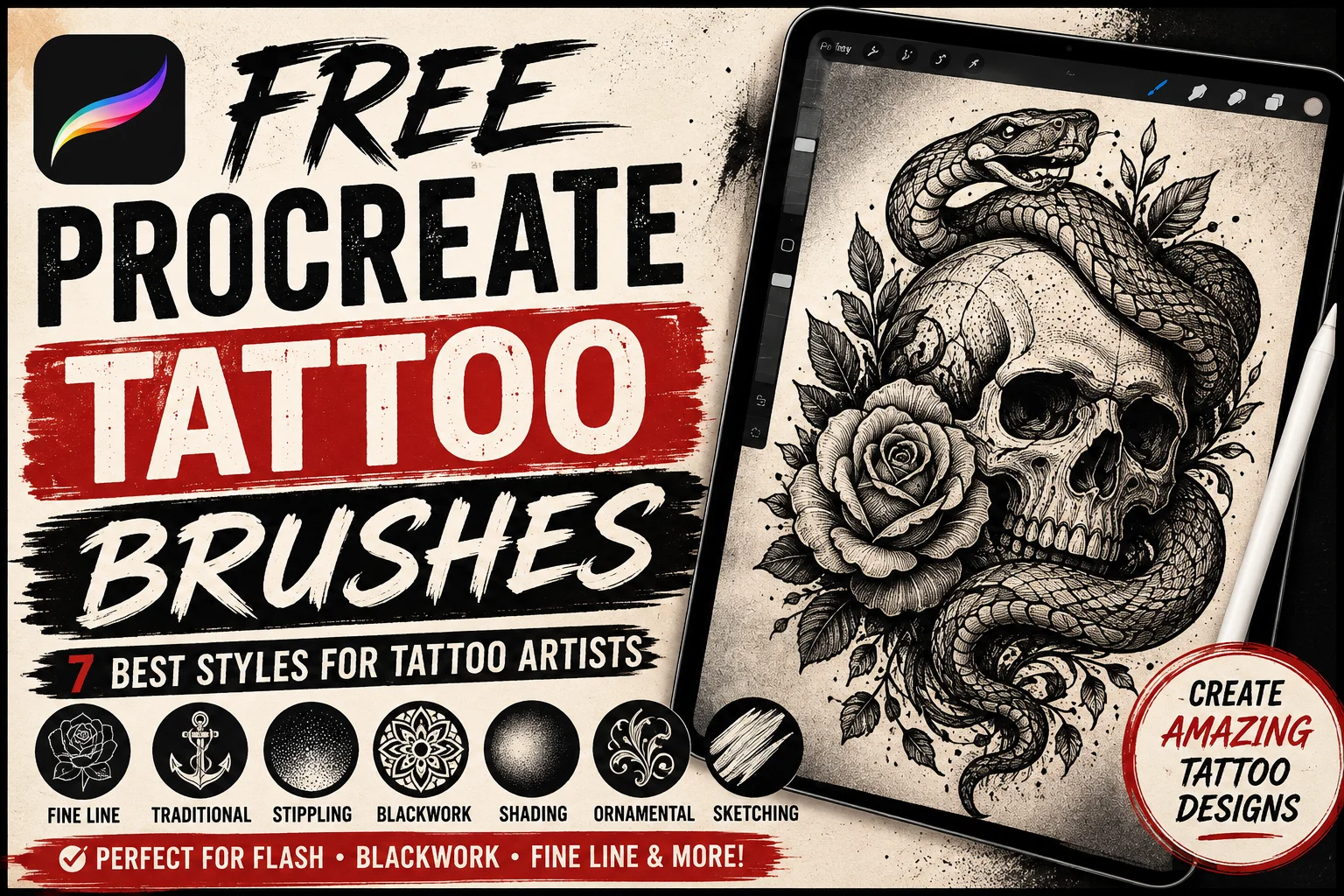
Finding the right free Procreate tattoo brushes can make designing tattoo concepts faster, cleaner, and much more enjoyable. Whether you’re sketching traditional flash, building detailed blackwork pieces, experimenting with fine-line tattoos, or creating ornamental designs, the right Procreate brush can help you translate an idea into a polished digital concept.
Procreate has become a useful illustration tool for artists because it combines a natural drawing experience with layers, customizable brushes, selections, transformations, and other digital tools. Instead of repeatedly starting sketches on paper, you can experiment with compositions, line weights, shading, and colors while keeping different elements easy to edit.
You don’t necessarily need a large collection of paid brush packs to begin. There are many useful free tattoo-style brushes available, and Procreate’s existing tools can also be customized for tattoo illustration.
This guide explains the main types of tattoo brushes worth adding to your library, what to look for before downloading them, and how to organize your brushes for a more efficient tattoo-design workflow.
What Are Free Procreate Tattoo Brushes?
Free Procreate tattoo brushes are digital brushes designed or adapted for creating tattoo-inspired artwork inside Procreate. Depending on the brush, they can imitate clean tattoo outlines, fine-line pens, stippling, dotwork, grainy shading, solid black fills, traditional flash textures, and other techniques commonly seen in tattoo illustration.
Some brushes are designed for very specific effects. A stippling brush, for example, can create many small marks quickly, while a fine-line brush focuses on controlled, narrow strokes.
Others are general-purpose drawing tools that happen to work particularly well for tattoo concepts.
The best approach isn’t to collect every tattoo brush you can find. Instead, build a small library around the styles you actually create.
Why Use Procreate Brushes for Tattoo Designs?
Tattoo-inspired illustration often requires precise lines and controlled shading. Digital brushes can make both easier to experiment with before creating a final design.
One major advantage is flexibility.
If part of your composition feels too large, you can adjust it without redrawing the entire illustration. You can also test several versions of a design, change colors, explore different shading approaches, or keep line art and shading on separate layers.
Specialized brushes can also reduce repetitive work.
Creating hundreds of individual dots for a stippled shadow takes time. A carefully configured stippling brush can produce the underlying texture much faster while still allowing you to control where the shading appears.
The same idea applies to grain, ornamental textures, and certain repetitive decorative effects.
Brushes should still support your drawing rather than replace it. Strong composition, clean shapes, intentional line weight, and thoughtful shading remain more important than owning hundreds of brushes.
7 Types of Free Procreate Tattoo Brushes to Try
Different tattoo illustration styles require different tools. These seven categories provide a practical starting point for building a versatile brush library.
1. Fine-Line Tattoo Brushes
Fine-line brushes are useful for delicate illustrations requiring narrow, controlled strokes.
They’re especially effective for botanical drawings, minimalist symbols, small ornamental designs, geometric concepts, flowers, animals, and detailed line illustrations.
A good fine-line brush should maintain a clean edge while responding predictably to your hand movement.
When testing one, draw long curves, short details, circles, and intersecting lines. Zoom out afterward and check whether the design still looks clear at a realistic viewing size.
Extremely thin digital lines can look impressive while zoomed in but become difficult to read when the artwork is reduced.
2. Traditional Tattoo Brushes
Traditional tattoo artwork is known for bold outlines, recognizable shapes, strong contrast, and straightforward color areas.
If you enjoy creating roses, daggers, hearts, swallows, snakes, eagles, skulls, ships, or similar flash-inspired illustrations, a bold inking brush can become one of your most frequently used tools.
Look for brushes that create confident outlines without excessive texture around the edges.
You can combine a heavier outline brush with a smaller detail brush to establish visual hierarchy throughout the design.
3. Stipple and Dotwork Brushes
Stippling is created using collections of small dots to develop texture, shadow, and gradual tonal changes.
Drawing every dot manually gives you maximum control, but it can also be slow.
Stipple brushes can accelerate the process by producing groups of marks as you draw. They’re useful for darker shadow areas, gradients, decorative textures, skulls, animals, flowers, and geometric tattoo concepts.
For more natural-looking results, avoid covering every shaded area with exactly the same dot density. Combine lighter and heavier applications so the texture gradually changes across the illustration.
4. Blackwork Procreate Brushes
Blackwork designs depend heavily on contrast, silhouettes, strong shapes, and solid dark areas.
A useful blackwork brush should make it easy to create clean edges and consistent fills.
These brushes work well for gothic illustrations, ornamental artwork, animals, botanical compositions, abstract forms, and dark graphic designs.
When creating blackwork digitally, regularly zoom out from the canvas. Large areas of black can change the balance of an illustration dramatically, and viewing the entire composition makes it easier to notice when one section becomes visually too heavy.
5. Tattoo Shading Brushes
Shading gives flat line art dimension.
Depending on the style you’re trying to create, you may prefer smooth shading, grainy shading, soft gradients, crosshatching, stippling, or textured shadows.
A useful tattoo brush collection should therefore include at least one shading tool.
Try placing your shading on a separate layer beneath or above your primary line work. This makes it easier to experiment without damaging your original drawing.
You can then compare several shading styles before deciding which version complements the illustration best.
6. Ornamental Tattoo Brushes
Ornamental tattoo artwork often includes repeating shapes, decorative lines, symmetrical elements, floral motifs, and geometric details.
Specialized brushes can help artists develop some of these patterns more efficiently.
They’re particularly useful when creating mandala-inspired artwork, decorative borders, jewelry-like elements, floral ornaments, and symmetrical compositions.
However, avoid allowing decorative brushes to determine the entire design. Use them as supporting tools while keeping the overall composition original.
7. Sketching Brushes for Tattoo Concepts
Every finished design begins somewhere.
A simple pencil-style brush can be one of the most valuable tools in your entire collection.
Sketching brushes allow you to explore composition without worrying about perfect lines. You can quickly test the position of major elements, adjust proportions, and create several variations before committing to clean line art.
For a practical workflow, begin with a rough sketch on one layer. Reduce that layer’s opacity, create a new layer above it, and redraw the important lines using your preferred inking brush.
This simple process keeps early experimentation separate from the finished drawing.
How to Choose the Best Free Procreate Tattoo Brushes
Don’t judge a brush pack by the number of brushes included.
A collection containing 100 tools isn’t automatically better than one containing five carefully designed brushes.
Start by thinking about what you actually need.
If you mainly create fine-line floral illustrations, prioritize precise liners and subtle shading tools. If you prefer bold traditional artwork, you’ll probably get more value from strong ink brushes and reliable filling tools.
Test pressure response as well.
Make several light and heavy strokes with your Apple Pencil and check whether the brush behaves predictably. Some artists prefer dramatic pressure variation, while others need consistent line width.
Also inspect the texture at different zoom levels. A texture that looks realistic at 300% magnification may become too dense or disappear when viewed normally.
Most importantly, check the creator’s licensing terms. A brush offered as a free download isn’t automatically licensed for every commercial purpose.
How to Install Free Procreate Tattoo Brushes
After you’ve downloaded a compatible Procreate brush file to your iPad, installation is generally quick.
Locate the downloaded file using the Files app and open the compatible brush or brush-set file. Procreate can import supported brush resources into its Brush Library.
Once imported, open Procreate and check your Brush Library for the new brush or set.
Create a blank canvas and test the brushes before starting a finished illustration. Try thin lines, thick lines, curves, shading, and different pressure levels.
If you’ve downloaded several packs, rename or organize your favorite sets so they’re easy to locate later.
Procreate’s official documentation is also a useful resource when you need current information about importing and managing brushes.
Build a Simple Tattoo Brush Workflow
A good workflow doesn’t require dozens of different tools.
You could complete a detailed tattoo-style illustration using only four main brushes.
Start with a textured pencil for your initial sketch. Once you’re happy with the composition, use a clean inking brush for the final outline.
Next, use a stipple or shading brush to build depth. Finally, use a solid brush for dark areas or strong graphic shapes.
Keeping this process simple has an important benefit: consistency.
When every part of an illustration is created with a completely different texture, the finished piece can feel disconnected. Reusing a small group of complementary brushes helps create a more unified visual style.
Customize Your Procreate Tattoo Brushes
Sometimes a downloaded brush is almost right but doesn’t feel comfortable.
Instead of immediately searching for another pack, try customizing it.
Procreate’s Brush Studio provides controls that can change how a brush responds and appears. Depending on the brush, you can experiment with properties related to stabilization, taper, grain, shape, rendering, and Apple Pencil behavior.
Before changing a brush you like, duplicate it.
Keep the original version untouched and experiment with the copy. You might create one version for heavier outlines and another for delicate details.
As you become familiar with these settings, you can gradually build a personalized tattoo illustration toolkit.
Keep Your Brush Library Organized
Downloading too many free Procreate tattoo brushes can quickly turn the Brush Library into a mess.
Organize your tools around your workflow rather than the websites where you found them.
For example, you might create sets for Sketching, Fine Line, Traditional, Blackwork, Stippling, Shading, and Ornament.
You can also create a small Favorites collection containing only the brushes you use regularly.
This makes it much easier to switch between tools while you’re drawing and reduces the temptation to spend more time browsing brushes than creating artwork.
Free vs. Premium Tattoo Brushes
Free brushes are a great starting point, particularly when you’re learning Procreate or experimenting with a new illustration style.
Premium tattoo brush packs can still be valuable when they offer specialized tools that match your workflow, but buying a pack shouldn’t be the first solution every time you need a different effect.
Learn what you can achieve with your existing brushes first.
Once you understand exactly what your current tools are missing, deciding whether a premium pack is worthwhile becomes much easier.
Frequently Asked Questions About Free Procreate Tattoo Brushes
Are there free tattoo brushes for Procreate?
Yes. Artists and brush creators offer free Procreate brushes suitable for line work, stippling, shading, sketching, blackwork-inspired artwork, and other tattoo illustration styles. Availability and licensing conditions vary by creator.
What Procreate brush is good for tattoo linework?
Look for an inking or technical-style brush that provides clean edges and predictable pressure response. The ideal brush depends on whether you want consistent lines or intentional variations in line weight.
Can I make tattoo flash in Procreate?
Procreate can be used to create digital tattoo flash-style illustrations, including sketches, clean line art, color studies, and presentation sheets.
Can I edit downloaded tattoo brushes?
Many imported brushes can be adjusted in Brush Studio. It’s useful to duplicate a brush before changing its original settings.
Are free Procreate tattoo brushes allowed for commercial work?
It depends on the license supplied by the brush creator. Always review the usage terms before using third-party brushes or included design assets in commercial projects.
Final Thoughts on Free Procreate Tattoo Brushes
The best free Procreate tattoo brushes are the ones that complement your drawing style and make your workflow more efficient.
You don’t need hundreds of brushes. Start with a reliable sketching pencil, a clean liner, a bold inking tool, a shading brush, and a stippling or texture brush. Add specialized tools only when you have a clear reason to use them.
More importantly, spend time learning how each brush behaves. Experiment with pressure, line weight, texture, opacity, and Brush Studio settings until your tools feel comfortable.
A carefully organized collection of free brushes can give you everything you need to explore fine-line illustrations, traditional flash-inspired artwork, blackwork, stippling, ornamental designs, and many other tattoo-art styles inside Procreate.